Metro Coupons & Savings for 2026

Find the freshest Metro grocery coupons for 2026—including exclusive digital offers, printable coupons for the current week, and in-store deals. Our expert guide covers how to use coupons at Metro, tips for stacking and maximizing savings, and the latest on Metro coupon policy, so you can make every trip to Metro count!

Updated regularly. Check back often for new Metro printable coupons, digital offers, and weekly Metro deals.
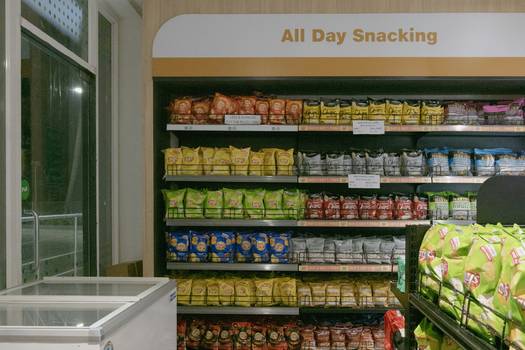
Modern grocery store scene representing Metro supermarket savings and couponing in action

How to Use Digital & Printable Coupons at Metro

  • Metro Digital Coupons: Add offers to your Metro account or loyalty card through the Metro app or website. Show your digital barcode or scan your loyalty card at checkout to redeem.
  • Printable Metro Coupons: Print offers from the Metro website or reputable coupon sites. Present the physical coupon to the cashier at checkout.
  • Manufacturer Coupons: Metro accepts valid manufacturer coupons (both printed and digital) unless otherwise restricted by store policy.
  • In-App & Mobile Coupons: Some exclusive app-only coupons can be used by loading them within the Metro mobile app.
  • Store-Issued Coupons: Metro sometimes issues special coupons in flyers, receipts, or in-store displays—always check for these before shopping.

  • Combine digital coupons with weekly Metro flyer deals for double discounts.
  • Use your Metro loyalty card to unlock bonus offers and stack with Metro digital coupons when possible.
  • Look for “Buy More, Save More” promos and apply manufacturer or Metro coupons to multiply your savings.
  • Always present printable coupons before payment and check expiry dates to avoid disappointment.
  • Check Metro’s in-store coupon boards near entrances or customer service for exclusive, unadvertised offers.
  • For the best savings, shop during weekly clearance markdowns and use any valid coupons on top.

Metro’s coupon policy allows the use of valid manufacturer and store-issued coupons, including Metro printable and digital coupons. Most locations permit one coupon per product, but stacking (using both a store and manufacturer coupon on the same item) may be possible if specified. Always check the specific terms on each coupon and ask customer service for their current policy details.

Read the full Metro coupon policy guide

Latest Metro Grocery Coupons for 2026

Expert Savings Tips for Metro Shoppers

Stack Store & Manufacturer Coupons
When possible, use a Metro store coupon in combination with a manufacturer coupon on the same item. This “best way to stack Metro coupons” approach can double your discount, especially during Metro’s “buy more, save more” events.
Use Metro App Exclusive Coupons
Download the Metro app to access exclusive digital coupons not offered elsewhere. These “Metro app exclusive coupons” are often time-limited and stackable with in-store promotions and loyalty points.
Shop Weekly Metro Deals & Markdowns
Plan your shopping around weekly Metro deals and clearance markdowns. Combining “weekly Metro deals and discounts” with valid coupons can lead to significant savings—sometimes over 50% on select items.
Check In-Store & Flyer Coupons
Always browse Metro’s printed flyers and look for in-store coupon boards. “Where to find Metro in-store coupons” is often as simple as checking near the store entrance or at customer service.
Leverage the Metro Loyalty Program
Register for Metro’s loyalty program to unlock bonus digital coupons and earn rewards. “Metro loyalty program and coupons” often go hand-in-hand—and you can sometimes combine loyalty rewards with coupon savings for best results.
Know the Metro Coupon Policy
Review the “Metro coupon policy explained” to avoid surprises at checkout. Understanding rules on expiry dates, stacking, and digital vs. printable coupons ensures every coupon is accepted—and maximizes your discount.

Metro Coupons – Frequently Asked Questions

Yes, at many Metro locations you can “stack” a Metro digital coupon with a manufacturer coupon on the same item, provided both coupons meet the terms and are not restricted. Always check the fine print and ask your cashier, as stacking rules can vary by store and region. This is one of the best ways to maximize Metro coupon savings.

Print Metro coupons from reputable sources or the official Metro site, ensuring they are valid for the current week. Present them to the cashier before payment. Always check expiry dates and terms, as “Metro printable coupons current week” are typically accepted as long as they are not photocopies and meet Metro’s coupon policy.

Absolutely! Metro often features “app exclusive coupons” that can be loaded via the Metro app. These digital coupons can be scanned at checkout or linked to your loyalty card. Be sure to check the app regularly, as these offers change frequently and may be limited-time only.

If your Metro coupon is rejected, politely ask the cashier to check the coupon terms or request a supervisor. Sometimes issues arise with expired, photocopied, or misprinted coupons. For digital offers, ensure the coupon is loaded to your account and the product matches. If needed, contact Metro customer service for resolution.

Yes, Metro’s stacking policy generally allows one store coupon and one manufacturer coupon per item unless otherwise stated. Digital and printable coupons can sometimes be combined, but not always. Always review the “Metro coupon policy explained” and ask at your location for specifics, since policies may differ by province.

The best way to find “weekly Metro deals and discounts” is to check the official Metro flyer, browse in-store displays, and visit Metro’s website or app for featured offers. Pairing these deals with valid Metro coupons—digital or printable—can help you unlock the lowest prices each week.