Walmart Digital Coupons Canada (2025)
Discover how to unlock instant savings on groceries, household essentials, and more at Walmart Canada using digital coupons. This guide walks you through every step—finding, activating, stacking, and redeeming Walmart digital coupons, plus troubleshooting common issues. Start saving the smart way, whether you shop in-store or online!
Start Saving at Walmart Canada TodayHow Walmart Digital Coupons Work in Canada (2025)
- Digital coupons are electronic offers you can activate in your Walmart account (via the Walmart app or website). They’re automatically applied at checkout—no paper required.
- Types of coupons: Walmart Canada offers digital, printable, and traditional manufacturer coupons. Digital coupons are the fastest, most convenient way to save—especially for busy families!
- Expiry matters: Digital coupons have clear expiry dates. Always check before shopping and activate your coupons just before your trip for the best selection.
- Use on app or web: Find, activate, and redeem coupons using the Walmart Canada app or at walmart.ca/coupons.
Pro Tip: Digital coupons are often stackable with Walmart Rollbacks, price matching, or even a single manufacturer coupon—see stacking policy below!
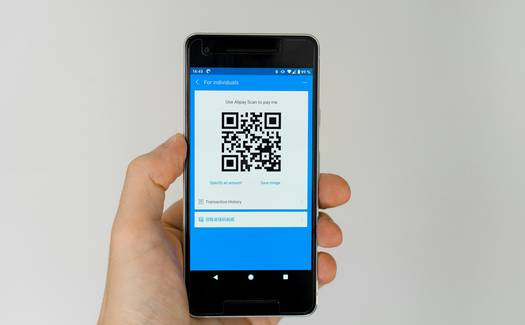
Step-by-Step Walkthrough: Using Walmart Digital Coupons in 2025
- Open the Walmart Canada app or go to walmart.ca/coupons.
- Browse current digital offers by category (Groceries, Household, Baby, etc.).
- Use the search bar to find coupons for your favourite brands or products.
- Check expiry dates and details before activating.
- Click or tap the “Activate” (or “Clip”) button next to each offer you want to use.
- Coupons will be saved to your Walmart account—no printing needed!
- Activated offers are viewable under “My Coupons” in the app or web dashboard.
- Some offers may be limited in quantity—activate early for best results.
- At checkout, show your digital coupon barcode via the app (or print your account barcode from the website).
- The cashier will scan your barcode—eligible coupons are automatically applied to matching products.
- Some stores may require you to enter your phone number linked to your Walmart account.
- Always confirm which coupons applied—check your receipt for details.
Tip: Add your digital coupons just before shopping for maximum selection and to avoid expiry!
- Add qualifying products to your cart on walmart.ca.
- At checkout, ensure you’re logged into the account where coupons are activated.
- Eligible digital coupons are auto-applied—you’ll see discounts before paying.
- Some digital offers may be in-store only; always check coupon terms.
Stacking & Optimization: Maximize Walmart Digital Coupon Savings
Walmart Canada Coupon Stacking Policy (2025): Digital coupons may be combined (“stacked”) with rollback prices, flyer deals, and sometimes a single manufacturer coupon. Stacking two digital coupons for the same item is not allowed. Always check coupon terms and ask staff if unsure.
| Coupon Type | Can Stack With | Example |
|---|---|---|
| Digital Coupon | Rollback, Price Match, 1 Manufacturer Coupon | Digital $2 off + Flyer Price Match |
| Printable Coupon | Rollback, 1 Digital Coupon (rarely allowed) | Print $1 coupon + digital $2 coupon (ask cashier—may vary) |
| Manufacturer Coupon | Rollback, 1 Digital Coupon (if not same offer) | Manufacturer $1 coupon + digital $1 coupon |
| Walmart Loyalty/Promo | Digital/Printable/Manufacturer | Walmart app offer + digital coupon |
- Combine with Price Match: Show a competitor flyer for a lower price, then use your digital coupon for extra savings.
- Stack with Rollbacks: Activate digital coupons during Walmart Rollback or flyer events for double discounts.
- Use Apps for More Offers: Use Checkout 51, Caddle, or PC Optimum apps after your Walmart shop for possible rebate stacking.
- One Coupon Per Item: In most cases, you can only use one digital and one manufacturer coupon per item. Never try to “stack” two identical digital coupons.

Troubleshooting & Best Practices for Walmart Digital Coupons
-
Coupon not applying?
- Check product eligibility (brand, size, variety).
- Ensure the coupon is activated on your account.
- Verify the coupon hasn’t expired or hit redemption limit.
-
Walmart app not syncing?
- Log out and back in, or reinstall the app.
- Update app to latest version; clear app cache if needed.
-
Coupon “used” but not redeemed?
- Contact Walmart customer service with your receipt and account details.
- Take screenshots of your activated coupons as proof.
-
Is it safe to use Walmart digital coupons in 2025?
- Yes—coupons are delivered via secure app or website. Never share your Walmart login with others.
- Review Walmart’s privacy policy before linking accounts or storing payment info.
Best Practices:
- Activate coupons the day of your shop for best results.
- Organize your list by coupon expiry—use soon-to-expire offers first.
- Save receipts and take screenshots in case you need to contact support.
- Don’t try to duplicate or “game” the system—abuse can lead to account bans.
Quick Tip: If your digital coupons aren’t scanning, ask the cashier to manually enter your account number or try a different checkout lane.
FAQ: Walmart Digital Coupons in Canada (2025)
To find digital coupons, open the Walmart Canada app or visit walmart.ca/coupons. Browse available offers and click “Activate” (or “Clip”) for the ones you want. Activated coupons are saved to your account and will be automatically applied at checkout when you buy eligible products. Always review expiry dates and terms before your shop!
In most cases, you can use one digital coupon and one manufacturer (paper or printable) coupon per item, provided they are for different offers. Stacking two digital coupons or two manufacturer coupons on the same item is not allowed. Always check the coupon fine print and Walmart’s coupon policy, as rules may vary by store or province.
Yes—every Walmart digital coupon has a clear expiry date, visible before activation. Expired coupons will not apply at checkout, even if previously activated. Always check your “My Coupons” section for up-to-date expiry info, and use soon-to-expire offers first for maximum savings.
Digital coupons are activated and redeemed through your Walmart account, requiring no paper. Printable coupons must be printed and presented at checkout. Digital coupons are faster and easier to use, but printable coupons may sometimes offer unique or higher-value deals. Both types can be combined with Rollbacks or price matches, but stacking two of the same offer is not allowed.
Most Walmart digital coupons can be redeemed both in-store and online at walmart.ca, but some are in-store or online exclusive. Check each coupon’s terms for details. For online orders, ensure you’re logged into your account and that eligible coupons are activated before checkout.
Double-check that the coupon is active on your account, the product matches exactly, and the coupon is not expired. If it still doesn’t work, ask the cashier to scan your app barcode again, or try another checkout. For persistent issues, contact Walmart customer support with your receipt and screenshots of the coupon in your account. Always keep documentation for fast resolution!
Yes—Walmart digital coupons are managed within your secure Walmart account. Your activation and redemption data is used only to apply discounts and improve your shopping experience. Never share your password or barcode, and always access coupons directly through the official Walmart app or website.