Troubleshooting Shoppers Drug Mart Digital Coupons
Your fix-it manual for PC Optimum offers that refuse to scan, vanish, or throw barcode errors at the till.
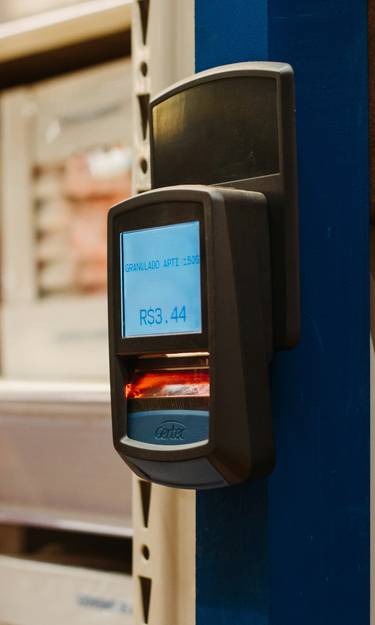
PC Optimum digital coupons make Shoppers Drug Mart one of Canada’s most rewarding pharmacies. But when that barcode refuses to scan or an offer disappears moments before checkout, savings can evaporate fast. We’re an independent coupon resource, so this guide isn’t sponsored by Shoppers or PC Optimum—we simply compiled every proven fix in one place.
Below you’ll find a lightning-fast checklist, detailed accordion fixes for each error message, a decision flow you can skim in seconds, and an exclusive error-code cheat-sheet cashiers rarely share. Bookmark or share with friends so the next “Shoppers digital coupon not scanning” crisis is solved in under a minute.
Quick-Fix Checklist
- Update PC Optimum app to the latest version.
- Turn phone screen brightness to 100 %.
- Disable dark-mode or blue-light filters.
- Remove thick screen protector or rotate phone landscape.
- Toggle store Wi-Fi off if signal is weak; rely on data.
- Double-check product size/SKU matches coupon wording.
- Verify expiry—coupons end 11:59 PM ET regardless of local time.
- Ask cashier to key “021” + code if scanner still fails.
Why it happens: Laser scanners struggle with low brightness, thick screen protectors, or glare from overhead lighting. The store’s older Motorola scanners need a crisp, high-contrast barcode.
- Turn brightness to maximum and disable dark-mode.
- Remove any matte/glare screen protector or rotate phone 90°.
- Hold phone 10 cm back so the red laser can focus.
- Tap the barcode area once—most phones hide the navigation bar, enlarging the code.
- If still failing, ask cashier to press 021, key in the full 20-digit code, then hit ENTER.
Need a step-by-step stacking example? See our digital coupon stacking guide.
Why it happens: Limited-quantity offers auto-expire once redemption quotas are hit. Occasionally the app drops cached offers after an update or time-zone switch.
- Pull down to refresh the “Offers” tab.
- Force-quit and reopen the app, then check again.
- Toggle airplane mode on/off to flush stale cache.
- If the offer is flyer-based, scan the product at self-serve price checker—sometimes the register still recognises the code.
Why it happens: Multi-use coupons register each barcode scan on the PC Optimum backend. If Wi-Fi dropped mid-transaction the system flags a redemption attempt even when transaction voids.
- Ask cashier to void last line and re-scan.
- If message persists, remove the coupon item from basket and pay separately.
- Still stuck? Scan loyalty card after the barcode so system sees fresh token.
Why it happens: Corrupted cache or an outdated version conflicts with Android/iOS webview components.
- Update PC Optimum in the App Store/Play Store.
- Clear cache (Settings → Apps → PC Optimum → Storage → Clear Cache).
- Restart phone. Preload coupon while waiting in line so barcode is cached offline.
Why it happens: PC Optimum matches offers by 12-digit SKU. New seasonal packaging or bonus-size may share shelf tag but not the original SKU.
- Scan product with price-checker kiosk; SKU appears bottom-left—compare to app fine print.
- Select original size/flavour shown in offer image.
- Avoid trial sizes; they’re usually excluded.
Why it happens: Shoppers allows one PC Optimum coupon per product line. Scanning two different barcodes for same item family triggers conflict.
- Use second coupon on a separate transaction or different product flavour.
- Combine a digital coupon with a paper manufacturer coupon instead—review the Shoppers Drug Mart coupon policy.
Why it happens: Network latency during peak hours delays points post. System batches may take up to 24 h.
- Wait 24 h and refresh account.
- If still missing, use in-app chat > “Points Inquiry” > upload receipt photo.
- Provide store #, transaction #, and exact points expected.
One-Minute Diagnostic Flow
- Does the coupon appear in the “Offers” tab?
- Is your app up to date?
- Brightness at 100 % and screen protector off?
- Barcode still not scanning → ask cashier to key 021 + code.
- Gets “already redeemed” → void line, re-scan loyalty card.
- Offer missing points after 24 h → start in-app chat.
- No resolution within 5 days → escalate to PC Optimum call centre.
Barcode Format Checker
Enter the 20-digit code printed under a PC Optimum digital coupon to verify basic formatting before you queue.
Register Error Code Cheat-Sheet
| Code | Till Message | Root Cause | Front-Line Fix | Escalate? |
|---|---|---|---|---|
| 012 | Invalid Data | Barcode mis-scan or screen glare | Increase brightness, re-scan | No |
| 021 | Manual Entry Required | Scanner cannot read image | Key 021 + full code | No |
| 071 | Coupon Already Used | Backend flagged prior redemption | Void item, re-scan loyalty card | Maybe |
| 092 | Item Not Matched | SKU mismatch | Override with supervisor 092 | Yes |
| 105 | Offer Expired | Past 11:59 PM ET expiry | None—cannot redeem | No |
| 161 | Network Timeout | Store server offline | Apply manual points | Yes |
Escalation Steps If Nothing Works
- Keep your receipt and note the store number printed above the barcode.
- Take clear photos of the product, receipt, and coupon in the app.
- Ask the supervisor to credit missing points manually at the register.
- If points still missing, open PC Optimum in-app chat > “Points Inquiry” and upload proof.
- For unresolved cases after 5 business days, phone 1-866-I-OPTIMUM (1-866-467-8486) with reference numbers.
Turnaround for manual credits averages 48 hours; keep app notifications on so you don’t miss confirmation.