PC Optimum Guide 2026: Maximize Points, Stacking & Redemption

Discover the best ways to earn PC Optimum points fast, stack coupons, and unlock bonus redemptions at Loblaws, Shoppers Drug Mart, No Frills, Real Canadian Superstore, and more. This step-by-step guide covers advanced tips, stacking scenarios, and real examples to help you turn every shop into serious savings.

Canadian family using PC Optimum app and card at grocery store checkout

How PC Optimum Works: The Basics

PC Optimum is Canada’s most popular grocery and pharmacy loyalty program, combining previous PC Plus and Shoppers Optimum programs into a single points platform. You can collect and redeem points at major stores including:

  • Loblaws, No Frills, Real Canadian Superstore, Zehrs, Atlantic Superstore, Your Independent Grocer
  • Shoppers Drug Mart & Pharmaprix
  • Esso & Mobil (gas), Joe Fresh, Valu-mart, Fortinos, and more

Getting Started: Download the PC Optimum app or pick up a card in store. Register online to access personalized offers, digital coupons, and bonus events. Every time you shop, scan your card/app to earn points automatically—no need to save paper receipts.
Tip: Link your card to the app for weekly digital offers, points history, and one-click activation of promos.
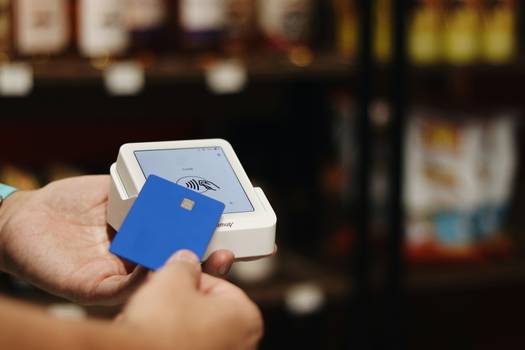
PC Optimum app and card being used at grocery checkout in Canada

How to Earn PC Optimum Points Fast in 2026

Earn PC Optimum points every time you shop—plus multiply your rewards with bonus events, personalized offers, and smart stacking. Here’s how:

  • Base Points: Most grocery stores: 10 pts per $1 on eligible items. Shoppers Drug Mart: 15 pts per $1 on almost everything.
  • Personalized Offers: Load to your app/account weekly—earn 200-2000+ pts on specific brands or categories.
  • Bonus Events: “20x Points” at Shoppers, “Spend $100, Get 20,000 pts” at Loblaws, and more—these can double or triple your usual rewards.
  • Stacking: Combine manufacturer coupons, in-store sales, and personalized offers for maximum points and savings.
Example: Buy $50 of groceries on a “loadable offer” for 8000 bonus points. Use a $5 coupon and pay $45, but still earn 8000 pts ($8 value) plus coupons.
PC Optimum Points Earning Rates by Store (2026)
Store Base Rate Bonus Events Personalized Offers
Loblaws, RCSS, No Frills 10 pts / $1 (selected items) Spend $100, get 20,000 pts Yes
Shoppers Drug Mart 15 pts / $1 20x Points, Bonus Redemption Yes
Esso/Mobil 10 pts / litre fuel “Fill Up, Get X pts” events Yes
Joe Fresh, Others Varies Occasional promos Yes
Note: Some items (gift cards, lottery, prescriptions) do not earn points—always check the fine print!

Best Ways to Redeem PC Optimum Points

Redeeming PC Optimum points is simple and flexible—points act like cash! Here’s how you get the most value:

  • Minimum redemption: 10,000 points = $10 off (increments of $10).
  • Bonus Redemption Days: At Shoppers Drug Mart, points are sometimes worth more (e.g., 50,000 pts = $65 instead of $50).
  • Where to redeem: All participating stores, in-store and online (excludes fuel for redemption).
Pro Tip: Wait for Bonus Redemption events at Shoppers for up to 30% extra value!
How to Redeem: At checkout, tell the cashier or select “Redeem Points” in the app—choose how much to use in $10 multiples. The discount applies instantly to your total.
PC Optimum Redemption Value (2026)
Points Normal Value Bonus Redemption*
10,000 $10 $13
50,000 $50 $65
100,000 $100 $140
200,000 $200 $300
*Bonus values are approximate; check current offers in your app for exact rates.

PC Optimum Stacking with Coupons & Offers: Real Examples

Maximize your PC Optimum points by stacking them with digital and paper coupons, in-store promos, and personalized offers. Here’s how stacking works:

  1. Load digital offers in your app (e.g., “Buy X, get 2000 pts”).
  2. Clip/store manufacturer coupons (printable or mobile) for the same item.
  3. Shop during a bonus event (e.g., “20x Points” at Shoppers).
  4. Present coupons at checkout before redeeming points. Points are earned on pre-coupon subtotal.
  5. Pay with cash/credit/debit, or redeem points for instant savings.
Example: Buy $60 in beauty products during a “Spend $50, get 20,000 pts” event at Shoppers, using a $5 manufacturer coupon and a digital offer. Earn 20,000 pts ($20), save $5 instantly—double dip!
Common Stacking Scenarios
Scenario Allowed? Notes
Personalized Offer + Manufacturer Coupon Yes Most stores allow both
In-store Promo + Digital Offer + Coupon Yes Stack for max savings
Multiple Manufacturer Coupons on 1 item No 1 coupon per product (usually)
Redeem Points + Earn on same transaction Yes Earn pts on non-points portion
Personalized Offers on Clearance Sometimes Check store policy
Always check your store's policy—some staff may be unfamiliar with stacking rules.

PC Optimum Hacks & Advanced Tips for 2026

Maximize Personalized Offers
Always load all new offers in your app weekly. Buy qualifying items in small, separate transactions to trigger repeat offers and keep getting bonuses.
Shop Bonus Events
Time your shopping for “20x Points” or “Bonus Redemption” weekends at Shoppers, or “Spend $100, get 20,000 pts” at Loblaws. Plan ahead for big hauls.
Combine with Cashback Apps
Use Checkout 51, Caddle, or Flipp cashback offers alongside PC Optimum for triple savings on eligible products—just upload your receipt after shopping.
Avoid Missing Expiry Dates
Personalized offers expire weekly, and event bonuses are limited time only. Set reminders and shop early to avoid missing big points.
Family Accounts & Multiple Cards
Link family cards to one account to pool points. Each person can load and use their own offers, then combine points for large redemptions.
Optimize for High-Value Redemptions
Save points for Bonus Redemption events at Shoppers, where your points are worth up to 50% more. Plan your biggest purchases for these events.

PC Optimum FAQ: Rules, Troubleshooting & Hacks

To earn points faster, always load personalized offers weekly, time your big shops for bonus events (like “20x Points” or “Spend $100, Get 20,000 Points”), and stack digital or paper coupons with those offers. Shopping at Shoppers Drug Mart during event weekends often yields the highest points per dollar. Use your app to track offers and always scan your card or app at checkout.

Yes! Most PC Optimum retailers allow you to use manufacturer coupons (digital or paper) alongside loaded offers and bonus events. You’ll earn points on the pre-coupon subtotal. Always hand coupons to the cashier before redeeming points, and check your store’s stacking policy for any exceptions.

Bonus Redemption events (mainly at Shoppers Drug Mart) let you redeem your points for extra value—for example, 200,000 points may be worth $300 instead of $200. These events are held several times a year, usually over a weekend. Plan major purchases to coincide with these events for maximum savings.

Personalized offers are based on your recent shopping history. If you want better or more relevant offers, buy a mix of items you want offers for, then wait for the next cycle. Always load offers each week and make sure you’re using the same account/card. If offers still don’t appear, try logging out and back in, or contact PC Optimum support.

PC Optimum points do not expire as long as your account is active (i.e., at least one transaction every 2 years). If you have multiple cards linked to your account, all points are pooled. If you have separate accounts, you can merge them by contacting support or manage them separately for more offers (within program rules).

Yes! You can stack PC Optimum points with other cashback apps like Checkout 51, Caddle, and Flipp. Simply do your shop, scan your PC Optimum card/app, then upload your receipt to the cashback app for additional rebates. This is a great way to triple your savings.

First, wait 24-48 hours—points can take time to appear. Ensure you scanned your card/app and loaded all offers before shopping. If points are still missing, use the “Points Inquiry” feature in the app or website, providing your receipt info. PC Optimum support is usually quick to resolve missing points when proof is provided.

You cannot use more than one manufacturer coupon per item and can’t combine multiple accounts for a single transaction. Some offers exclude clearance, gift cards, or pharmacy purchases. Always read offer and coupon fine print, and follow program rules—abuse can result in account suspension.

Related PC Optimum & Couponing Resources

Top Coupon Strategies
Master stacking, event planning, and advanced points hacks for grocery and pharmacy savings.
Digital Coupon Stacking Guide
Learn how to combine PC Optimum offers, digital coupons, and cashback apps for triple savings.
Coupon Policies by Store
Compare stacking and points rules at Loblaws, Shoppers, No Frills, Walmart, and more.
How to Combine Coupons with PC Optimum
Step-by-step instructions for stacking offers and maximizing every trip.
Best Grocery Coupon Apps in Canada
Find the best apps for digital coupons, price matching, and cashback in 2026.
Coupon & Loyalty FAQ
Get answers to your pressing coupon and loyalty questions, including PC Optimum troubleshooting.