How to Stack Coupons at Canadian Grocery Stores (2025 Guide)

Unlock the maximum savings at your local supermarket! This comprehensive, step-by-step guide shows you how to stack coupons at Canadian grocery stores—including Walmart, Loblaws, Sobeys, and more. Learn stacking policies by store, actionable stacking strategies, and real-life walkthroughs so you never leave money on the table.
Canadian family stacking digital and paper coupons at a grocery store checkout

Coupon stacking means using more than one coupon or offer on a single grocery item or transaction—often a manufacturer coupon plus a store coupon, and sometimes with a digital or loyalty offer too. In Canada, rules vary by store, but with the right approach you can double or even triple your savings. Here’s exactly how to do it, step by step!

Coupon Stacking Policies by Store (Canada, 2025)

Not all Canadian grocery stores allow coupon stacking, and some have unique rules. Use this table to see which stores allow what, and click the links for detailed stacking guides.

Store Manufacturer Coupons Digital Coupons Stacking Allowed? Notable Restrictions Guide
Walmart Yes Yes (app & printable) Rarely, varies by store Officially, only one manufacturer coupon per item; some locations allow stacking with digital/store coupons at cashier discretion. See Guide
Loblaws Yes Yes (PC Optimum offers) Yes Can stack 1 manufacturer + 1 in-app/store coupon + PC Optimum points; digital + paper sometimes allowed. See Guide
Sobeys Yes Yes (digital, app) Yes 1 manufacturer + 1 store coupon per item; digital + paper sometimes accepted; regional variation. See Guide
Metro Yes Yes (app/flyer) Limited Usually 1 manufacturer or 1 store coupon per item; stacking less common but possible with digital + paper. See Guide
No Frills Yes Yes (PC Optimum) Yes Manufacturer + digital (PC Optimum) stacking common; check fine print for exclusions. See Guide
Costco Limited (rare) Yes (instant/digital) No No manufacturer coupons; only instant/digital savings allowed; stacking not permitted. See Policy
Shoppers Drug Mart Yes Yes (digital, app) Yes Manufacturer + in-app/store coupon + PC Optimum points stacking possible; exclusions apply. See Guide
Safeway Yes Yes (app/flyer) Yes 1 manufacturer + 1 store coupon per item; digital + paper combos allowed at most locations. See Guide
Policies can vary by region and store manager. Always check each location's official policy or ask at customer service.

Step-by-Step Coupon Stacking at Canadian Grocery Stores

1. Learn the Store Policy
Always check your store’s coupon policy—some allow stacking, others don’t. Ask at customer service or see our in-depth coupon policies page for details.
Pro Tip: Take a photo of the policy or keep it handy on your phone in case of questions at checkout.
2. Gather Your Coupons
Collect manufacturer, digital, and store coupons—print, app, or flyer. Use top apps like Flipp, Checkout 51, and Caddle for digital coupons. See best apps.
Did You Know? Many digital coupons can be “clipped” in-store via your phone—no printer needed!
3. Match Offers
Use flyers and price-matching tools to find items with the lowest price. Combine with coupons for maximum savings. See flyer apps.
Watch Out: Some stores exclude clearance or price-matched items from stacking.
4. Stack at Checkout
Present your manufacturer coupon first, then store or digital coupons. For digital, scan your phone/app after paper coupons.
Pro Tip: Be friendly and organized—some cashiers may need a supervisor for stacking approvals.
5. Use Loyalty Programs
Many stores let you stack coupons with loyalty offers (e.g., PC Optimum, Air Miles, CT Money). Load all offers and scan your card/app for extra savings. See PC Optimum tips.
Pro Tip: Stack points events with coupons for triple-layered savings!
6. Track Savings
Use a coupon calculator or expiry tracker to measure your real savings and avoid missing out on expiring offers.
Tip: Tracking helps you see which stores and stacking strategies work best for your family.

Real-World Coupon Stacking Walkthroughs

Stacking at Walmart Canada
Scenario: Buy 2 boxes of cereal.
Coupons: $1 off manufacturer (paper), $1 off Walmart digital (app).
  1. Present both boxes at checkout.
  2. Hand over paper manufacturer coupon.
  3. Show Walmart app digital offer to cashier.
  4. Cashier enters both—if stacking allowed, $2 off total.
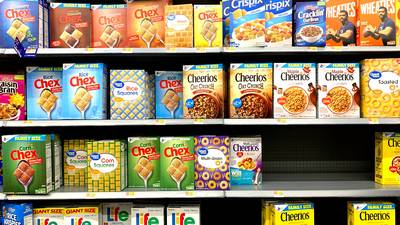
Note: Some Walmart locations only allow one coupon per item; others will stack paper + digital. Always ask first!
Walmart Canada cashier stacking digital and paper coupons for a cereal purchase
Stacking at Loblaws
Scenario: Buy 1 pack of cheese.
Coupons: $2 off manufacturer (printable), $1 Loblaws store coupon, 2000 PC Optimum points.
  1. Give both coupons to cashier.
  2. Scan PC Optimum card/app for bonus points.
  3. Stacking allowed: $3 off total + bonus points = triple savings.

Pro Tip: Loblaws frequently allows stacking of manufacturer + store coupon + loyalty points.
Loblaws Canada shopper stacking coupons and earning PC Optimum points at checkout
Stacking at Sobeys
Scenario: Buy 2 yogurts.
Coupons: $1.50 off manufacturer (paper), $1 off Sobeys digital offer.
  1. Present both coupons to cashier.
  2. Cashier scans/apply both—if policy allows, $2.50 off.
  3. Receipt shows both discounts.
Watch Out: Some Sobeys stores may require manager approval for stacking—be polite and ask!
Sobeys Canada checkout showing digital and paper coupon stacking on a yogurt purchase

Coupon Stacking FAQ (Canada 2025)

Yes, coupon stacking is legal in Canada—provided you follow the store’s policy and each coupon’s fine print. Not all stores allow stacking, so always check the rules before you try to stack manufacturer, store, or digital coupons in a single transaction.

At many Canadian stores, you can stack a digital (app or e-coupon) with a paper manufacturer or store coupon—especially at Loblaws, Sobeys, and Shoppers Drug Mart. Walmart and Metro may allow it at cashier discretion. Always present paper coupons first, then scan digital/app offers.

Use a combination of apps (like Flipp, Checkout 51, Caddle), printable coupon sites, and store flyers for paper coupons. Check digital offers in-store apps, and always match coupons to flyer deals for the best stack. See our Best Grocery Coupon Apps guide for sources.

Yes! Most Canadian stores let you combine coupons with loyalty offers like PC Optimum or Air Miles. This is a powerful stacking strategy: use a coupon plus a points offer for double or triple rewards on a single product.

Stay calm and polite. Ask if they can show you the written policy, and explain that other locations may allow stacking. If denied, you can still use your best coupon or try another store. Never argue—politeness often leads to the best outcome.

Many stores exclude clearance or price-matched items from coupon stacking, but some allow it if the coupon’s terms don’t prohibit it. Always check the exclusions in the fine print and ask staff before stacking on these items.

No—Canadian stores almost always limit you to one manufacturer coupon per item. Stacking is typically allowed only when combining a manufacturer with a store or digital coupon, not two manufacturer coupons on the same product.

Use our coupon calculators to estimate savings for each stack, and our expiry tracker to avoid missing expiring coupons. Tracking your results helps you refine your stacking strategy!
Ready to stack and save? Explore more couponing strategies, try our calculators, and watch your grocery bill shrink every week!